


Nail Pickup

Introduction
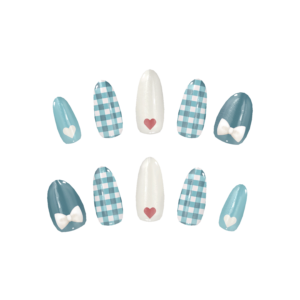
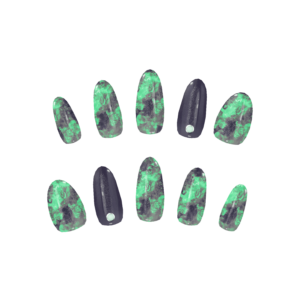
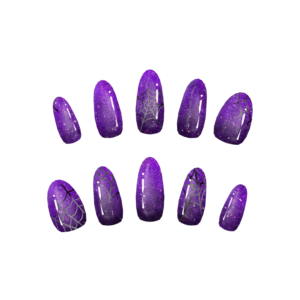
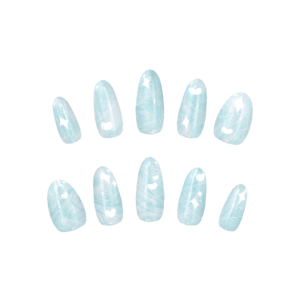
This tool allows you to easily wear nail textures created using
【販売OK!】シェアできる汎用ジェルネイルチップ『MDollnail』【VRChat】
by Minuet_Doll.
This tool was developed and tested in the following environment, and we are unable to provide support for other environments.
▫ Windows 11
▫ VRChat Creator Companion
▫ Unity 2022.3.22f1
Click here to register with VCC.
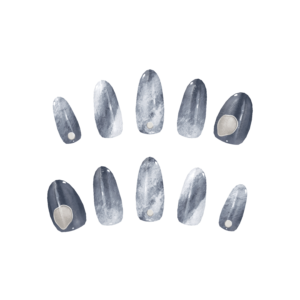
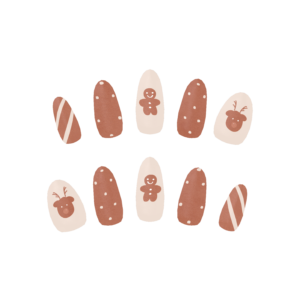
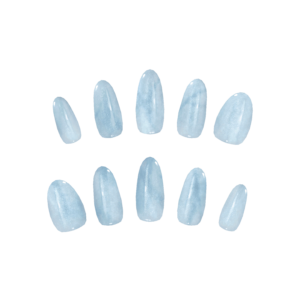
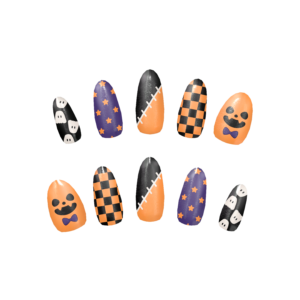
Products from our shop include 3D models, nail textures, and pre-configured materials,
so you can use the tool simply by purchasing our products.
In most cases, reading this section should be enough to get started,
but if you encounter errors or want to learn more, please refer to the next section: ‘Detailed Explanation for Each Screen‘.
- Please make sure to review and agree to the terms of service before purchasing products on Booth.
*Due to Booth specifications, returns after purchase are not possible. - Download and import the required shader ‘lilToon‘ into Unity.
『ModularAvatar‘ as well. - Please import An-Labo NailTool from here.
- A confirmation screen will appear in VRChat Creator Companion (VCC). If everything looks fine, click “I Understand, Add Repository”.
This will register An-Labo NailTool with VCC. - In VCC, click “Manage Project” to the right of the project you want to use, find “An-Labo NailTool”, click “Not Installed”, and select the highest version number to import it into your project.
- Open the imported project from “Open Project”.
- From the purchased data, download the data starting with ‘Main’ and import all unitypackage files from the zip.
- In the top menu bar where “File”, “Edit”, etc. are listed, click “An-Labo”, then click “MDNail Setup Tool”.
- Set your language under Language.
- Prepare the avatar you want to wear nails on in the Hierarchy, and drag and drop that avatar into the avatar field.
*You can also auto-select by launching the nail tool while the desired avatar is selected. - Confirm that the name of the original avatar is displayed in the Base Avatar field.
※Click here if BlendShape is not supported - Select the thumbnail of the nail you want to wear. Darkened items have not been imported into this project.
Click ‘Search Nail’ at the bottom to filter by conditions and make selection easier. - Select the Nail Shape, Variation, and color. The nail displayed at the top shows the currently selected Nail Shape, Variation, and color.
- Check the boxes for hands and/or feet where you want to wear nails, and review the other Detailed Settings.
If you are unsure about the Detailed Settings, we recommend leaving them as default. - Finally, press the ‘Wear Nail’ button to apply the nails.


Screen Description
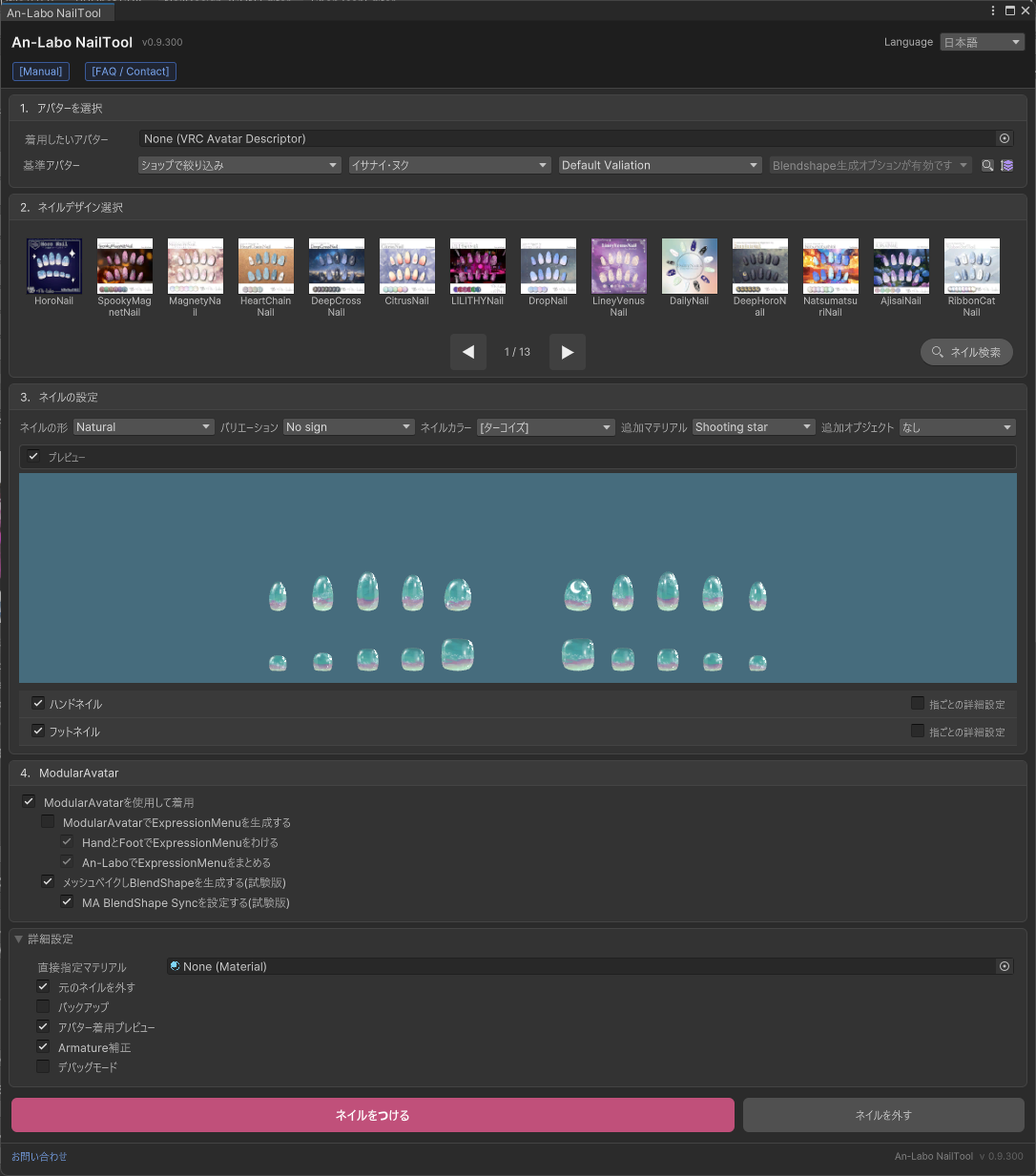
- “Manual” / “FAQ / Contact”
-
These link to this page. If you have any questions, please click here to learn more.
- “Language”
-
You can select between “Japanese” and “English”.
*If you are using English, please change the language here. - “Avatar to Wear”
-
Select the avatar you want to wear nails on.
Please select an object that has a “VRC Avatar Descriptor” component.
You can drag and drop an avatar from the Hierarchy, or select one using the ◉ icon on the right side.
Additionally, if you have the avatar you want to wear nails on selected when you open the nail tool, it will be automatically selected.
It will also be automatically selected if there is only one avatar in the Hierarchy. - “Base Avatar”
-
Please confirm that it matches the body of the avatar you placed in “Avatar to Wear”.
If you are using an older version of an avatar, or if there are variations such as T-pose or A-pose,
please select a different variation from Default Variation.
*If the variation you are using is not available, please contact us.The fourth box is used when utilizing Blendshapes, but if you use the “Bake meshes and generate BlendShapes” option described later, Blendshapes will be added to the nails, so there is no need to select it.
The magnifying glass icon next to it is the search window.
Use it when you want to check supported avatars. You can search by shop name, shop URL, avatar name, etc.The button next to it is used to change the sort order.
- “Nail Design”
-
Select the thumbnail of the nail you want to wear.
Nails you do not own are displayed in gray.By default, nails are sorted by owned nails > newest nails, so frequently worn nails appear at the top.
By pressing the Search Nail button, you can search for nails that match your desired style.
- “Style Settings”
-
You can select from “Natural”, “Oval”, “Point”, and “Square” for the Nail Shape.
Our shop designs nails with Oval as the standard,
so if you are unsure, please use Oval. - “Variation”
-
Some nails have variations that can be specified.
Use this when multiple variations are available. - “Nail Color”
-
The currently available colors are displayed.
Select the color you want to wear. - “Additional Materials”
-
You can apply additional materials included with certain nails to other nails as well.
WeatherNail includes rain and snow effects, and HoroNail includes a shooting star effect. - “Additional Objects”
-
You can apply additional objects included with certain nails to other nails as well.
LILITHYNailとMagicNail each include their own unique magic circles that you can use. - “Preview”
-
You can hide the preview screen display.
- “Hand Nail” / “Foot Nail”
-
By checking these boxes, you can change the nails to apply only to fingernails or toenails.
- “Set for Each Finger”
-
By checking this, you can select Nail Design and color for each individual finger.
- ModularAvatar
-
◆ ‘Wear with ModularAvatar’
Recommended if you are using ModularAvatar.
An object will be generated directly under the avatar, similar to clothing, and will be automatically worn during Play mode.◆ ‘Generate Expression Menu with ModularAvatar’
Recommended if you are using ModularAvatar.
This allows you to toggle nails on/off using the Expression Menu in VRChat.
If only this option is enabled, both hand and foot nails will be toggled on/off together.◆ ‘Split Hand and Foot in Expression Menu’
Recommended if you are using ModularAvatar.
This allows you to choose between hand or foot when toggling on/off in the Expression Menu.◆ ‘Group in An-Labo Expression Menu’
Turn this off as needed.
When this is enabled, you need to navigate through An-Labo → Nail Name in the Expression Menu to toggle on/off.
This is recommended if you plan to wear and switch between multiple An-Labo nails.◆ ‘Bake Meshes and Generate BlendShapes’
Recommended if you are using ModularAvatar.
When this is enabled, the meshes that were separated for each finger on hands and feet will be combined into two meshes (one for hands, one for feet).
Also, if there are BlendShapes for high heels, etc., those BlendShapes will be attached to the nail mesh.
By matching the BlendShape values to the avatar’s body, nails will fit properly even at values other than 100.◆ ‘Setup MA BlendShape Sync to automatically follow BlendShapes’
Recommended if you are using ModularAvatar.
When this is enabled, the nail BlendShape values will automatically match the avatar body’s BlendShape values.
This works the same way in VRChat, eliminating the need to manually adjust BlendShapes.
*This may not work properly with some avatars. Please contact us if you experience issues, and we can adjust the settings for you. - Detailed Settings
-
◆ ‘Direct Material Assignment‘
Default: OffNo configuration is needed when wearing An-Labo nails.
You can wear nails by directly specifying MDollnail materials here.
Please use this option if you are using MDollnail materials from other shops. -
◆ ‘Remove Original Nail’
Default: OnIf there are nails already worn using this tool, the original nails will be removed before wearing the new ones.
Uncheck this option if you want to wear multiple nails and switch between them using the Expression Menu in VRChat. -
◆ ‘Backup’
Default: OnA backup will be saved to Assets/[An-Labo.Virtual]/An-Labo Nail Tool/Backup.
We recommend keeping this enabled whenever possible. -
◆ ‘Scene Preview’
Default: OnWhen a nail is selected, it will be temporarily worn on the avatar in the Scene view.
Use this to check whether the position is correct.
*If you close the nail tool, the nail will disappear. Make sure to press ‘Wear Nail’ to apply it.◆ ‘Armature Compensation’
Default: OnWe recommend keeping this enabled.
This will correct the position even if it has shifted from the default.
It can also correct cases where the Armature values have been modified. - ‘Wear Nail’
-
Wears the nail with the settings configured above.
If ‘Remove Original Nail’ is enabled,
the currently worn nail will be removed before the new nail is applied. - ‘Remove Nail’
-
Use this when you want to remove nails that were worn using this tool.
Search Avatar Screen

- “Search Field”
-
You can search by avatar name, English name, shop name, avatar URL, etc.
Double-click on the desired variation to carry over the selection and return to the wear screen.
Search Nail Screen
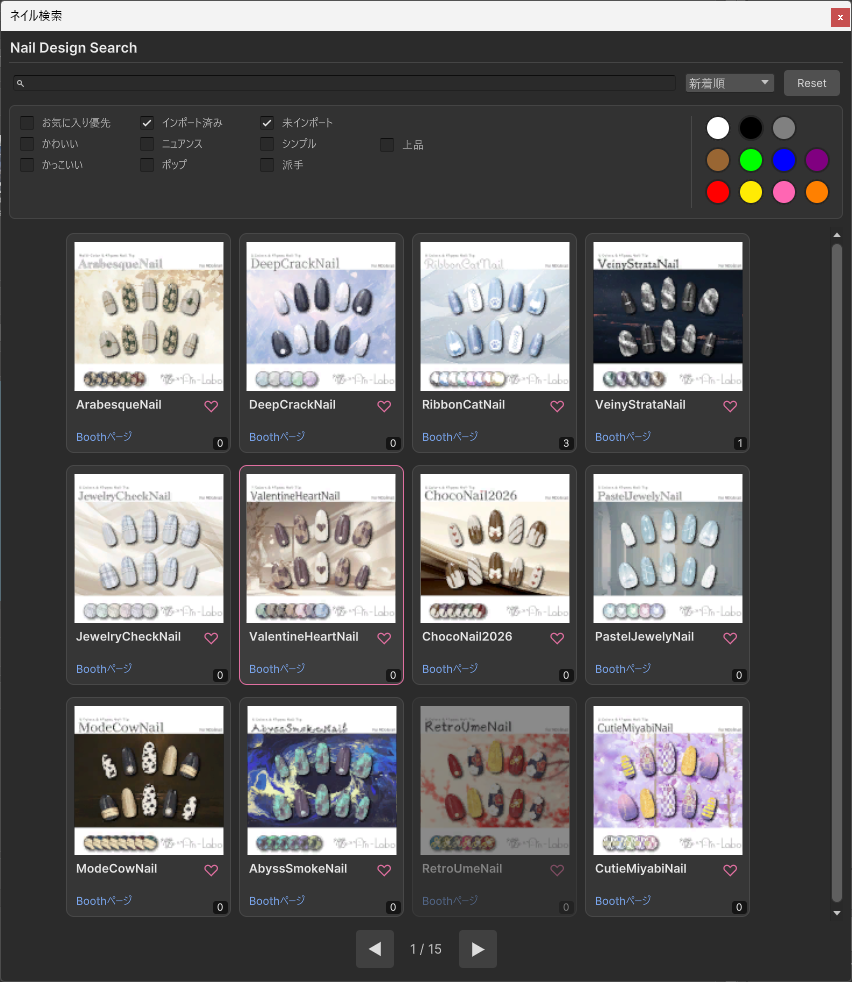
- “Search Field”
-
You can search by nail name.
You can also prioritize display of items marked as favorites with a heart, and hide imported/unimported items.
Searching by registered colors and nail styles is also possible. Please use this when considering new nails.
Supported Avatars
Pre-configured setup data for the following avatars is included in this nail tool.
Please note that due to the nature of nail tips, there may be gaps or some shapes that cannot be used.
If you cannot find your avatar in the tool, updating to the latest version will likely make it available.
If there are other avatars you would like supported, please see the FAQ.
Avatar List
◆ひきくまりのクマリ / KUMALY
https://jingo1016.booth.pm/items/7928592
Foot_heel / Foot_heel_high / Foot_heel_high 2
◆慧 / Kei
https://rio3d.booth.pm/items/7806994
◆プラム / Plum
https://komado.booth.pm/items/7770415
Foot_HighHeel
◆ラムネ / Ramune
https://emolab.booth.pm/items/7699667
Heel_Hi / Heel_Middle
◆ロコナ / Rokona
https://macchiato.booth.pm/items/7682496
BigToe_Rotate_Outside / BigToe_Rotate_Outside_Foot_Shape_Heel / Foot_Shape_Heel
◆プレッツェル / Pretzel
https://avakin.booth.pm/items/7558678
Highheel_High / Highheel_Low
◆ルミナ / LUMINA
https://extension.booth.pm/items/7502898
Foot_HighHeel / Foot_HighHeel_50 / Foot_HighHeel_80 / Foot_ShoesToe
◆リナシータ / Rinasciita
https://rionesta.booth.pm/items/7475899
High_heels
◆柚希 / Yuzuki
https://vividplum.booth.pm/items/7447697
Heel_High
◆戒 / KAI
https://c-j-giga.booth.pm/items/7401245
PlusHead
◆イチゴ / ICHIGO
https://hamini.booth.pm/items/7328789
◆エク / Eku
https://septem47.booth.pm/items/7328764
Foot_heels / Foot_highheels
◆ヴィオステラ / Viostella
https://logical0010.booth.pm/items/7312356
◆ココちゃん / JuiceCocoBlanc
https://pochibykt.booth.pm/items/7143214
Heel1 / Heel2
◆NecoBody / NecoBody
https://sonovr.booth.pm/items/7120170
◆ミゼラム / Miserum
https://vervain-shop.booth.pm/items/7107765
◆ピューマのぷまちゃん / Pmma
https://nem3.booth.pm/items/7062407
◆斑霞 / Hanka
https://studioyono.booth.pm/items/6970249
◆伊依 / Iyori
https://tinmeshi.booth.pm/items/6958479
For heel adjustment
◆Alué / アルエ
https://on-air.booth.pm/items/6957623
PlusHead
◆弐番 / NIBAN
https://avakin.booth.pm/items/6858738
Highheel_High / Highheel_Low
◆真央 / mao
https://paryi.booth.pm/items/6846646
heel_OFF_ヒールオフ / highheel_ハイヒール
◆しらつめ / Shiratsume
https://harunopupu.booth.pm/items/6831821
heel_01 / heel_02 / heel_03 / heel_03_50
◆六華 / Rikka
https://just-ducky.booth.pm/items/6828517
◆彼方 / Kanata
https://bluestella1127.booth.pm/items/6813995
Toe_heels / Toe_highheels
◆キルサイク / KILSIKE
https://kv2.booth.pm/items/6738107
MARUBODY 2.0 / MARUBODY 2.0 Foot_Highheel_1 / MARUBODY 2.0 Foot_Highheel_2 / MARUBODY 2.0 Foot_Highheel_3 / MARUBODY 2.0 Foot_Highheel_4
◆ゼヴ / Zev
https://tinmeshi.booth.pm/items/6717995
For heel adjustment
◆リース / Lys
https://vervain-shop.booth.pm/items/6680891
◆しゅあん / Shuan
https://s2k-gls.booth.pm/items/6669962
Foot_highheel
◆エルシオン / ELusion
https://komainu-street.booth.pm/items/6663666
◆ミルフィ / Milfy
https://mk22.booth.pm/items/6571299
Foot_heels / Foot_highheels
◆ミルティナ / Milltina
https://dolosart.booth.pm/items/6538026
v1.00 / v1.00_Foot_heel / v1.01 / v1.01_Foot_heel / v1.01_Foot_heel2 / v1.01_Foot_heel_Foot_heel2
◆Menno / Menno
https://emudotto.booth.pm/items/6504220
◆ショコラ / Chocolat
https://komado.booth.pm/items/6405390
Foot_Highheel
◆山羊のメア / Goat Mea
https://ykcg.booth.pm/items/6382745
Toe_flat / Toe_heel / Toe_highheel
◆りりか / ririka
https://paryi.booth.pm/items/6373683
heel_OFF_ヒールオフ / highheel_ハイヒール
◆セイラン / Seiran
https://usagi-cocoa.booth.pm/items/6359289
◆ノラフィリカ / NoraFirika
https://noranabeya.booth.pm/items/6358495
◆輝 / Tell
https://protagonist.booth.pm/items/6344701
Toe_heels / Toe_highheels
◆サナティア / Sanatia
https://fukanja.booth.pm/items/6334763
high_heel / toes_down
◆マリシア / Marycia
https://brn.booth.pm/items/6305948
A / A_Foot_Flat / A_Heel_Foot / A_Heel_Toe / T / T_Foot_Flat / T_Heel_Foot / T_Heel_Toe
◆メビカ / Mevica
https://soyl.booth.pm/items/6301601
HighHeels
◆イルネル / Yilnel
https://messier.booth.pm/items/6289095
◆ポチ / Pochi
https://pochibykt.booth.pm/items/6283622
APose
◆サルヴァダルシャ / SarvaDarsa
https://tinmeshi.booth.pm/items/6282388
SubArm(Position only) / For heel adjustment
◆リオン / RION
https://chloroterrace.booth.pm/items/6271911
身体調整_1 / 身体調整_2
◆リベラ / Ribera
https://ensuiuni.booth.pm/items/6253733
◆シュカ / Choucas
https://studio7tsuki.booth.pm/items/6227036
RemovedNail
◆白雨 / Hakuu
https://vividplum.booth.pm/items/6211186
HighHeel / LowHeel
◆フレーナ / Freina
https://matsuriba.booth.pm/items/6144723
Freina_RemakeBody / Freina_RemakeBody_Heel_ON_100 / Freina_RemakeBody_Heel_ON_50 / Toes_flat / Toes_upright
◆しなの / Shinano
https://ponderogen.booth.pm/items/6106863
heels / highheels
◆グエン / Nguyen
https://tinmeshi.booth.pm/items/6106392
For heel adjustment
◆愛莉 / Airi
https://kyubihome.booth.pm/items/6082686
High heels_OFF / High heels_ON / High heels_Toe
◆イサナイ・ヌク / Isanai Nuku
https://afro-da-afro.booth.pm/items/6044846
◆Mimi / Mimi
https://vervain-shop.booth.pm/items/6042562
◆ネメシス / Nemesis
https://komainu-street.booth.pm/items/5986971
Foot_down / Foot_heel
◆ルルネ / rurune
https://paryi.booth.pm/items/5957830
Foot_Hiheel / Foot_heel_OFF
◆ウルタラ / UltharA
https://rls-house.booth.pm/items/5955835
◆イフ / Ifu
https://namekuji1337.booth.pm/items/5953756
◆ロータス / Lowtus
https://on-air.booth.pm/items/5941406
◆大神ララン / Ohkami Laran
https://stray-lamb.booth.pm/items/5931278
MARUBODY 2.0 / MARUBODY 2.0 Foot_Highheel_1 / MARUBODY 2.0 Foot_Highheel_2 / MARUBODY 2.0 Foot_Highheel_3 / MARUBODY 2.0 Foot_Highheel_4
◆バイラン / Bairan
https://rampan.booth.pm/items/5929122
Foot_Heel_up / Main_HighHeels / Main_HighHeels_85
◆マオ / Mao
https://umikuri.booth.pm/items/5862767
Heal / Heal_old / Highheal / Highheal_old
◆メロトロン / Mellotron
https://kuromaru9.booth.pm/items/5860593
MARUBODY 2.0 / MARUBODY 2.0 Foot_Highheel_1 / MARUBODY 2.0 Foot_Highheel_2 / MARUBODY 2.0 Foot_Highheel_3 / MARUBODY 2.0 Foot_Highheel_4
◆ルーニャ / Runya
https://nyahuuu.booth.pm/items/5852666
◆リーサルフリート / LETHALFREET
https://kv2.booth.pm/items/5832850
◆ナナセ・ノワール / Nanase Noir
https://steller.booth.pm/items/5827815
high heels / under v1.3 high heels
◆みるくらて&しゅがーらて / みるくらて&しゅがーらて
https://kaerimichi.booth.pm/items/5822611
◆怜 / Rei
https://studioyono.booth.pm/items/5788427
kyoutuSotai
◆むんき / Munkki
https://nanka-tsukurouyo.booth.pm/items/5787485
MARUBODY 2.0 / MARUBODY 2.0 Foot_Highheel_1 / MARUBODY 2.0 Foot_Highheel_2 / MARUBODY 2.0 Foot_Highheel_3 / MARUBODY 2.0 Foot_Highheel_4
◆豺狼 / Sairou
https://sashimaru.booth.pm/items/5770771
ヒール
◆シュクレ / Sucre
https://minntaso.booth.pm/items/5753214
FOOT_heel_high / FOOT_newtral
◆みつまめ / Mitsumame
https://inugoyamart.booth.pm/items/5748454
◆パピヨン / Papillon
https://rio0405.booth.pm/items/5731436
Heel_Off / Toes_Flat
◆墨惺 / Bokusei
https://rokota.booth.pm/items/5727810
+Head
◆ビナア / Binah
https://sephir.booth.pm/items/5694887
◆マロ / Maro
https://bluecloud.booth.pm/items/5694723
+Head
◆しゅり / SHRI
https://s2k-gls.booth.pm/items/5694682
Foot_highheel
◆アルドナ / Aldona
https://brcl.booth.pm/items/5674386
Heel
◆ウズルハ / Uzuruha
https://kanalia.booth.pm/items/5673586
◆シオ / Sio
https://chocolaterice.booth.pm/items/5650156
Heel_Feet / Heel_Feet_High
◆si / si
https://fasna3302.booth.pm/items/5614499
T-Pose
◆Astel / Astel
https://ramuneru0801.booth.pm/items/5598963
◆セラフィナ / Seraphina
https://bbkktn.booth.pm/items/5597214
◆ペルラ / Perula
https://yueou.booth.pm/items/5565569
Body_FootHeelHigh / Body_FootHeelLow
◆キール / Kir
https://vworld.booth.pm/items/5554692
◆ギズモ / Gizmo
https://isuminoinonaka.booth.pm/items/5511587
◆伊奈波かや / InabaKaya
https://tsukurunomori.booth.pm/items/5511341
Foot_heel
◆リリモカ / LILIMOCA
https://kv2.booth.pm/items/5506125
◆社畜の連成さん / Workaholic
https://tinmeshi.booth.pm/items/5498540
For heel adjustment
◆capra / capra
https://zzzokojyo.booth.pm/items/5495860
◆シアン / Cian
https://septem47.booth.pm/items/5482062
◆リーナ / Lina
https://matsuriba.booth.pm/items/5463843
Lina_RemakeBody / Lina_RemakeBody_1.07 / Lina_RemakeBody_1.07_Heel_ON / Lina_RemakeBody_Heel_ON / heeled_OFF
◆ヘルベチカ / Helvetica
https://skd-noratama.booth.pm/items/5405062
A1X / A1X_heel
◆アニアス / Aniath
https://logical0010.booth.pm/items/5389703
◆フェリス / Felis
https://ryuku256.booth.pm/items/5385176
◆Julius / Julius
https://brochimanac.booth.pm/items/5380991
2.0 APose / 2.0 TPose / APose / TPose
◆キャロル / Carroll
https://yuufyu.booth.pm/items/5361549
A-Pose / T-Pose
◆シフォン / Chiffon
https://komado.booth.pm/items/5354471
Foot_Highheel
◆猫山宙 / NekoyamaSora
https://tsukurunomori.booth.pm/items/5353712
highheele
◆凪夜瑠璃 / NagiyaRuri
https://moca-studio.booth.pm/items/5351494
◆凪 / Nagi
https://rio3d.booth.pm/items/5345398
loli
◆ロマド / Romad
https://tinmeshi.booth.pm/items/5321673
For heel adjustment
◆ルナール / Renard
https://studio7tsuki.booth.pm/items/5319407
RemovedNail
◆狛乃 / Komano
https://hyuuganatu.booth.pm/items/5260363
◆ラズリ / Lazuli
https://elychiffon.booth.pm/items/5255692
◆九尾の傍観者 / 9b(九尾の傍観者)
https://avatarchan.booth.pm/items/5250102
heel_up / toe_up
◆トネール / Tonnerre
https://xelevia.booth.pm/items/5236104
+Head
◆珀杏 / Hakua
https://nyahuuu.booth.pm/items/5235946
Heel / HighHeel
◆ガルッピ / Galuppi
https://kv2.booth.pm/items/5230685
+Head
◆ルェルツ / Rwerutu
https://mocmomo.booth.pm/items/5203211
+Head
◆仙猫 / Senbyo
https://sashimaru.booth.pm/items/5187788
◆PlusHead / PlusHead
https://lsw.booth.pm/items/5153266
◆つぼみ / tsubomi
https://kokokoya.booth.pm/items/5146345
足_ハイヒール用変形
◆カルネ / KALNE
https://augmented-dolls.booth.pm/items/5142722
+Head
◆瑞希 / mizuki
https://paryi.booth.pm/items/5132797
Foot_Hiheel / Foot_heel_OFF
◆バメッサ / BAMESSA
https://sobagarashop.booth.pm/items/5129599
+Head
◆美芳さん / Bihou
https://poya123.booth.pm/items/5065722
◆マヌカ / MANUKA
https://jingo1016.booth.pm/items/5058077
Foot_heel / Foot_heel_high
◆あのめあ / Anomea
https://narukaruka.booth.pm/items/5020157
◆真冬 / Mafuyu
https://mk22.booth.pm/items/5007531
◆Lapwing / Lapwing
https://kujishift.booth.pm/items/4993931
A / T
◆望身 / Nozomi
https://athv.booth.pm/items/4962068
highHeels
◆ベリル / Beryl
https://yamirin.booth.pm/items/4930259
FullNail / HighHeel_100 / HighHeel_32
◆椿姫 / Tsubaki
https://sasaky-shop.booth.pm/items/4929177
Option_Boots
◆藍子さん / AIKOSAN
https://nekokaerya.booth.pm/items/4925619
◆テッキー / Techie
https://tinmeshi.booth.pm/items/4919799
For heel adjustment
◆ましゅめろ / Marshmero
https://usagi-cocoa.booth.pm/items/4910503
◆デルタフレア / DELTAFLAIR
https://kv2.booth.pm/items/4906631
◆スノーハヴォック / SNOWHAVOC
https://kv2.booth.pm/items/4906631
◆くうた / Kuuta
https://hotogiya.booth.pm/items/4897493
◆ルゼブル / Lzebul
https://shisyo.booth.pm/items/4887691
heels / high heels / more high heels
◆ダミ / DAMI
https://seodea.booth.pm/items/4884916
High_heel
◆ライム / Lime
https://komado.booth.pm/items/4876459
Foot_HighHeel / Foot_HighHeel_50
◆ベニちゃん / beni
https://teicifer9999.booth.pm/items/4870402
toe_hiheel1 / toe_hiheel2 / toe_hiheel_real / toe_real
◆伊兎卯さん / Itousan
https://avatar.booth.pm/items/4841951
◆Zange / Zange
https://ramuneru0801.booth.pm/items/4827340
◆ラシューシャ / Lasyusha
https://keenooshop.booth.pm/items/4825073
Heel / No Heel
◆フレア / Flare
https://elychiffon.booth.pm/items/4768506
◆U_Body / U_Body
https://sonovr.booth.pm/items/4722700
◆森羅 / Shinra
https://mio3works.booth.pm/items/4707634
Foot_highheel
◆ルフィナ / Rufina
https://yueou.booth.pm/items/4670579
FootHighHeel1 / FootHighHeel2 / U_V1.10 / U_V1.10_FootHighHeel1 / U_V1.10_FootHighHeel2
◆萌 / Moe
https://kyubihome.booth.pm/items/4667400
Highheeled_OFF / Highheeled_ON
◆ラムダ / LAMBDA
https://kv2.booth.pm/items/4655445
◆狐雨 / Kosame
https://goldentakasan.booth.pm/items/4619526
high_heels
◆ダージェリン / Darjelling
https://soil70808.booth.pm/items/4594839
◆フィオナ / Fiona
https://namekuji1337.booth.pm/items/4592568
1.0 / 2.0 / 2.0_HighHeel / FeetS / FeetS_2.0_HighHeel
◆ホノカ / Honoka
https://septem47.booth.pm/items/4578343
◆めいゆん / Meiyun
https://nigerunaya.booth.pm/items/4431242
RemovedNail / RemovedNail_toe_heel:100 / RemovedNail_toe_heel:65 / toe_heel:100 / toe_heel:100_old / toe_heel:65 / toe_heel:65_old
◆イェーナ / Yena
https://stray-lamb.booth.pm/items/4398963
Foot_Highheel_1 / Foot_Highheel_2 / Foot_Highheel_3
◆リセ / Lise
https://regs.booth.pm/items/4390073
MARUBODY 1.0 / MARUBODY 1.0 Foot_Highheel_1 / MARUBODY 1.0 Foot_Highheel_2 / MARUBODY 1.0 Foot_Highheel_3 / MARUBODY 2.0 / MARUBODY 2.0 Foot_Highheel_1 / MARUBODY 2.0 Foot_Highheel_2 / MARUBODY 2.0 Foot_Highheel_3 / MARUBODY 2.0 Foot_Highheel_4
◆ネミア / Nenmir
https://rokota.booth.pm/items/4376366
MARUBODY 1.0 / MARUBODY 1.0_Foot_Highheel_1 / MARUBODY 1.0_Foot_Highheel_2 / MARUBODY 1.0_Foot_Highheel_3 / MARUBODY 2.0 / MARUBODY 2.0 Foot_Highheel_1 / MARUBODY 2.0 Foot_Highheel_2 / MARUBODY 2.0 Foot_Highheel_3 / MARUBODY 2.0 Foot_Highheel_4
◆リミリア / LIMILIA
https://skymy.booth.pm/items/4365043
◆レイ / Ray
https://wakonoatorie.booth.pm/items/4360868
◆ますきゃっとぷらす / Masscat2
https://noracat.booth.pm/items/4360118
◆ユギ・ミヨ / YUGI・MIYO
https://as025886.booth.pm/items/4358508
◆ルキフェル / Lucifer
https://nyahuuu.booth.pm/items/4358123
MARUBODY 1.0 / MARUBODY 1.0 Foot_Highheel_1 / MARUBODY 1.0 Foot_Highheel_2 / MARUBODY 1.0 Foot_Highheel_3 / MARUBODY 2.0 / MARUBODY 2.0 Foot_Highheel_1 / MARUBODY 2.0 Foot_Highheel_2 / MARUBODY 2.0 Foot_Highheel_3 / MARUBODY 2.0 Foot_Highheel_4
◆姫華 / Himeka
https://kuroinyan.booth.pm/items/4344924
A-Pose / T-Pose
◆まめふれんず / MameFriends
https://mukumi.booth.pm/items/4340548
◆ルーシュカ / Rushka
https://tortamercato.booth.pm/items/4296675
◆リルモワ / Liloumois
https://monuments.booth.pm/items/4296377
v1.11 / v2.0 / v2.11 / v2.21
◆クロンカ / clonka
https://am23ti.booth.pm/items/4256853
◆NecoMaid(Hand Only) / NecoMaid(Hand Only)
https://sonovr.booth.pm/items/4252664
◆INABA / INABA
https://goldentakasan.booth.pm/items/4213786
high_heels
◆椎名 / Shiina
https://goldentakasan.booth.pm/items/4213786
high_heels
◆ソラハ / soraha
https://kokokoya.booth.pm/items/4208278
足_ハイヒール用変形
◆TubeRose / TubeRose
https://minamotosyun.booth.pm/items/4193460
◆リオ / Lio
https://watarino.booth.pm/items/4168378
◆サクヤ / Sakuya
https://watarino.booth.pm/items/4168378
◆ネーヴェ / Neve
https://still-blank.booth.pm/items/4165395
◆チセ / Chise
https://goho-cheat-vrc.booth.pm/items/4123536
◆ゾメちゃん / Zome
https://yorshkasencho.booth.pm/items/4118550
◆ティナ / Tina
https://wakonoatorie.booth.pm/items/4074925
◆ルーナリット / Lunalitt
https://hyuuganatu.booth.pm/items/4063740
足__スニーカー / 足__ビーチサンダル / 足__高ヒール
◆セリア / Seria
https://hamini.booth.pm/items/4057440
◆うるる / Ururu
https://nyahuuu.booth.pm/items/4049292
sotai
◆ソフィナ / Sophina
https://lukume.booth.pm/items/4044305
◆シェーナ / Shayna
https://matsuriba.booth.pm/items/4040235
Shayna_RemakeBody
◆セレスティア / SELESTIA
https://jingo1016.booth.pm/items/4035411
Foot_hill / Foot_hill_old / RemovedNail_Foot_hill
◆ナユ / Nayu
https://mk22.booth.pm/items/4023598
◆水瀬 / Minase
https://mio3works.booth.pm/items/4013951
◆キュリシア / CURISHIA
https://skymy.booth.pm/items/3990670
◆プラチナ / Platinum
https://mk22.booth.pm/items/3950859
◆サフィー / Sapphy
https://yueou.booth.pm/items/3939858
BodyFootHeelHigh
◆星恋ちゃん / Seiren
https://miragefantasia.booth.pm/items/3932003
◆ホド / Hod
https://sephir.booth.pm/items/3929383
◆龍のヨルちゃん / Yoll
https://skd-noratama.booth.pm/items/3923094
A(underv4) / A1X / A1X_heel / Ver4_1 / Ver4_1_heel / Ver4_25 / Ver4_31 / Ver4_31_Tpose / Ver4_31_Tpose_munenashi / Ver4_31_munenashi
◆Rico / Rico
https://jackcg.booth.pm/items/3911042
◆びしょぬれのしずくさん / Shizuku
https://kuromaru9.booth.pm/items/3828632
◆ハオラン / Haolan
https://kanalia.booth.pm/items/3818504
◆ファルリア / Falria
https://athv.booth.pm/items/3808012
◆RadDoll / RadDoll
https://tonomaoo.booth.pm/items/3741802
V2 / V3
◆ルルリア / Luruleah
https://nyahuuu.booth.pm/items/3708060
◆Peke(Hand Only) / Peke(Hand Only)
https://sonovr.booth.pm/items/3686641
◆桔梗 / Kikyo
https://ponderogen.booth.pm/items/3681787
Toe_highheels / ver under 1.03
◆リーファ / Leefa
https://hyuuganatu.booth.pm/items/3659436
足__ビーチサンダル / 足__高ヒール / 足_スニーカー
◆シィ&ファイ / Sii&Phi
https://kv2.booth.pm/items/3642210
◆あのん / Anon
https://nagatorokoyori.booth.pm/items/3564947
Highheel
◆ユリスフィア / YRISPHERE
https://skymy.booth.pm/items/3486694
Foot_Heel
◆ノイズ / Noiz
https://ramuneru0801.booth.pm/items/3481481
◆トラス / Tolass
https://nylonheart.booth.pm/items/3472207
◆カリン / Karin
https://komado.booth.pm/items/3470989
◆竜胆 / RINDO
https://jingo1016.booth.pm/items/3443188
foot_hill 100
◆ミル / Miru
https://wakonoatorie.booth.pm/items/3413206
◆舞夜 / Maya
https://kyubihome.booth.pm/items/3390957
Highheeled
◆まりえる / Mariel
https://hyuuganatu.booth.pm/items/3390339
◆クロダ / CRAD
https://skd-noratama.booth.pm/items/3378181
A1X / A1X_heel
◆くろなつ / Kuronatsu
https://nanka-tsukurouyo.booth.pm/items/3329958
◆アッシュ / Ash
https://mk22.booth.pm/items/3234473
◆杏里 / Anri
https://mio3works.booth.pm/items/3203894
◆杏里_men / Anri_men
https://mio3works.booth.pm/items/3203894
◆Grus / Grus
https://kujishift.booth.pm/items/3190100
A / T
◆ニャスカ! / Nyasuka!
https://stray-lamb.booth.pm/items/3162874
◆碼希 / Maki
https://hyuuganatu.booth.pm/items/3162696
◆ヨール / Yawl
https://nyahuuu.booth.pm/items/3161633
◆アノネ / Anone
https://skd-noratama.booth.pm/items/3118209
A1X / A1X_heel
◆リスティ / Liθty
https://logical0010.booth.pm/items/3106278
◆リル / Riru
https://wakonoatorie.booth.pm/items/3092723
◆AAbody / AAbody
https://atelier-alca.booth.pm/items/3055732
A-Pose / T-Pose
◆イメリス / IMERIS
https://jingo1016.booth.pm/items/3040745
Foot_hill / Foot_hill50
◆透羽 / Sue
https://mio3works.booth.pm/items/3016885
◆エミスティア / EMISTIA
https://skymy.booth.pm/items/2992265
foot_heel
◆ALTGARAGE / ALTGARAGE
https://skd-noratama.booth.pm/items/2955823
A1X / A1X_heel
◆ミルク Re / Milk Re
https://komado.booth.pm/items/2953391
◆セフィラ / Sephira
https://mk22.booth.pm/items/2953001
◆タルトタタン / TarteTatin
https://inugoyamart.booth.pm/items/2939958
◆ここあ / Kokoa
https://kyubihome.booth.pm/items/2780069
◆U(Hand Only) / U(Hand Only)
https://sonovr.booth.pm/items/2736146
◆ネツァク / Netzach
https://sephir.booth.pm/items/2735913
◆ルシナ / Rushina
https://nyahuuu.booth.pm/items/2721156
◆ウルフェリア / Wolferia
https://hyuuganatu.booth.pm/items/2709610
◆エーデルワイス / Edelweiss
https://bobcat-world.booth.pm/items/2670793
◆イヨ / Eyo
https://jingo1016.booth.pm/items/2630437
◆狐薄 / Kohaku
https://nyahuuu.booth.pm/items/2616595
◆サタリナ族のメイドさん / Satarina
https://armadillon.booth.pm/items/2589069
◆ラスク / Rusk
https://komado.booth.pm/items/2559783
◆狐雪 / Koyuki
https://kyubihome.booth.pm/items/2554585
◆マリオン / Malion
https://noildoll.booth.pm/items/2382047
◆メリノ / Merino
https://ponderogen.booth.pm/items/2351859
◆沙猫 / Saneko
https://hyuuganatu.booth.pm/items/2322146
◆アングラの子 / アングラの子
https://skd-noratama.booth.pm/items/2313554
A1X / A1X_heel
◆アングラの子 / アングラの子
https://skd-noratama.booth.pm/items/2313554
◆ミント / Mint
https://komado.booth.pm/items/2258111
◆ティエン / Tien
https://kyubihome.booth.pm/items/2247518
◆薄荷 / Hakka
https://mio3works.booth.pm/items/2215270
◆リア-アリス / RearAlice
https://mk22.booth.pm/items/2146588
◆ミラ / Mira
https://wakonoatorie.booth.pm/items/2140459
◆シュティーア / Stier
https://hyuuganatu.booth.pm/items/2135654
◆ぐれーず / Glaze
https://nanka-tsukurouyo.booth.pm/items/2040115
◆LSbody / LSbody
https://lsw.booth.pm/items/2018942
◆京狐 / Kyoko
https://hyuuganatu.booth.pm/items/1826902
◆ケセド / Chesed
https://sephir.booth.pm/items/1812518
◆シリウス / Sirius
https://hyuuganatu.booth.pm/items/1723127
◆Noy / Noy
https://ficsnade.booth.pm/items/1572406
◆アストラル / Astral
https://skd-noratama.booth.pm/items/1490378
A1X / A1X_heel
◆幽狐族のお姉様 / Yuuko
https://armadillon.booth.pm/items/1484117
◆ミーシェ / Mishe
https://ponderogen.booth.pm/items/1256087
◆セフィ / Sephir
https://sephir.booth.pm/items/1145899
◆マルクト / Malkuth
https://sephir.booth.pm/items/1021858
◆あまなつ / Amanatsu
https://komado.booth.pm/
◆Panda’s Male Base v2 / Panda’s Male Base v2
https://pandaabear.gumroad.com/l/pandamalebasev2
◆Panda’s Female Base v2 / Panda’s Female Base v2
https://pandaabear.gumroad.com/l/femalebase
◆RP BASE / RP BASE
https://zinpia.sellfy.store/p/rp-base/
◆Zin Fit Male Base / Zin Fit Male Base
https://zinpia.sellfy.store/p/zin-fit-male-base/
◆ZinPia Fit Base / ZinPia Fit Base
https://zinpia.sellfy.store/p/zin-fit-base/
Flat Foot / HEELED Foot
◆ZinPia VRBASE / ZinPia VRBASE
https://zinpia.sellfy.store/vrbase-maket/
Flat Foot / HEELED Foot
FAQ
Please select the issue or inquiry topic
In any case, please first check if there is a newer version of the nail tool available.
Issues may have already been resolved based on inquiries from other users.
Frequently Asked Questions
Most Frequently Asked Questions
There may be some overlap, but many issues can be resolved easily, so please take a look if you can.
I want avatar support
◆ If you would like a specific avatar to be supported, please contact us via the official Discord server, official X DM, or Booth messages, and be sure to include the following information!
For avatar creators, we will support your avatar if you provide it as a gift,
so please feel free to contact us!
[An-Labo V order number] (1 item) / (Not required if purchased via Booth)
[Avatar name you want supported]
[Sales URL of the above avatar]
[Boost equivalent to avatar price] Yes / No / Considering / Not required (requesting BlendShape support)
[Preferred support date (e.g., meetup)]
[Would you like your ID posted on X as a contributor?] Yes (X account ID)@ / No
◆ About Our Support Policy
Currently, as we are dedicating a significant amount of time to creating new products, avatar support requires many steps and a substantial block of work time.
Therefore, we currently operate under the following policy:
Avatar support is “generally provided when a boost equivalent to the avatar’s price is received.”
When a boost is provided, it becomes easier to secure time for support,
allowing for smoother schedule adjustments.
Support without a boost may be considered depending on the situation,
but due to workload and scheduling constraints, we are often unable to accommodate such requests.
For BlendShape support on already-supported avatars, please feel free to consult with us.
* We may decline support if the avatar’s structure, terms of use, or technical constraints make it difficult.
* Additionally, even after preliminary checks, it may become apparent during the actual work that support is not possible.
In such cases, we will explain the situation and may discontinue support. Please understand this in advance.
* Due to past incidents involving pirated copies and price negotiation attempts, we have changed our current operations.
* We generally do not provide special support based on past product purchases or FANBOX subscriptions.
We proceed with the following steps. Please take a look if you can.
First, please contact us via the official Discord server, official X DM, or Booth messages!
(Please do not send a boost at this stage yet)
We will review various information including the avatar’s product terms and avatar details.
・With boost → Whether support is possible
・Without boost → We will only notify you if we can accommodate
We will contact you accordingly.
Please purchase 1 item from our shop + a boost to match the avatar’s price.
(You do not need to resend the order number)
After confirming the purchase information, we will notify you of the estimated support date.
If things are not particularly busy, we typically complete the work within about one week.
Once support is complete, it will be reflected in a nail tool update.
Please try wearing the nails and verify they work correctly. We would appreciate it if you could let us know if everything is fine.
Afterwards, if you wish, we will post on X including your ID as a contributor.
Nails are misaligned on avatars marked as Nail Chip v2
Since ver2.0 of the nail tips themselves has been released,
nails that can only be worn with this version have this label.
*This label is planned to be removed in the future.
Newer nail designs include ver2.0 nail tips.
Please purchase the MDollnail main product, or purchase from the compatible items list.
We plan to include them in past items as well, but we do not accept requests for this.
Please understand in advance that we will not reply to any inquiries regarding this matter.
I want to know how to use RemovedNail and nail masks
Nail masks are distributed because some avatar nail shapes are incompatible with nail tips.
https://van-labo.booth.pm/item_lists/8A5T7xq5
Using this will remove the avatar’s original nails
and place nail tips to look like the avatar’s nails.
If you do not have Nail Chip v2, we hope you can use this as a temporary solution.
*We plan to eventually switch to supporting only Nail Chip v2. Please understand.
Sales page or manual page (this page) issues
Please contact us at the official Discord server ‘𝕂𝕒𝕞𝕠𝕞𝕚𝕚𝕣𝕦-𝕋𝕖𝕒’.
We will explain any unclear points and add them to the documentation.
We apologize for any inconvenience,
and we are able to continue operating thanks to the cooperation of many inquiries. Thank you always.
Issues with VRChat Creator Companion (VCC)
“Internal Server Error” occurs
This is likely a server issue.
Please wait a few minutes and try again. If the issue persists, please contact us.
Unable to add properly
Please try adding it manually.
Launch VCC, go to “Settings” at the bottom left, “Packages” at the top, “Community Repositories” in the center,
and if “An-Labo NailTool” is listed, please remove it using the – button on the right.
After that, click “+Add Repository” in the upper right and enter the following URL.
https://an-labo.github.io/An-Labo-NailTool/vpm.json
If the issue persists, please contact us via the official Discord server ‘𝕂𝕒𝕞𝕠𝕞𝕚𝕚𝕣𝕦-𝕋𝕖𝕒’ or through the sales page.
Bug in Unity 2022
First, please try updating the tool version.
To update, launch VCC (VRChat Creator Companion),
click “Manage Project” to the right of your project, refresh using the 🔁 button at the top,
find “An-Labo NailTool”, and if a green “↑” appears, click it to update.
If the issue persists, please see Issues in Unity.
Regarding Avatars
If support was listed but you cannot wear nails, please try updating the tool version.
To update, launch VCC (VRChat Creator Companion),
click “Manage Project” to the right of your project, refresh using the 🔁 button at the top,
find “An-Labo NailTool”, and if a green “↑” appears, click it to update.
If you would like additional avatar support, please see “Request Avatar Support“.
If the nails are in the correct position when worn but do not match hand or foot movements,
please contact us with the avatar name and the fingers that don’t match.
Collaboration and Commission Inquiries
We welcome collaborations! Please feel free to consult with us even if you’re just considering it!
If you are a Booth shop owner, please share your Booth shop URL.
We also welcome collaborations with nail salons and nail tip retailers.
We have experience with collaborations and partnerships with Booth shops, VRChat events, VRChat groups, and nail salons, and we hope to accommodate your requests.
Please feel free to contact us.
* For those outside of Booth shops, we can also be reached via X (formerly Twitter) / Instagram.
If you prefer email, please contact chamomillavv☆gmail.com (☆→@)!
I want to place an advertisement on this page or the nail tool
We can offer various proposals depending on your budget and purpose.
We will provide pricing information, so please feel free to contact us.
We plan to add more details, but if you are interested, we look forward to your inquiry.
* For those outside of Booth shops, we can also be reached via X (formerly Twitter) / Instagram.
If you prefer email, please contact chamomillavv☆gmail.com (☆→@)!
Other
We apologize that we were unable to help here.
Please contact us via the official Discord server ‘𝕂𝕒𝕞𝕠𝕞𝕚𝕚𝕣𝕦-𝕋𝕖𝕒’ or through the sales page.
I want to know about past inquiry examples
We have been updating the tool and nails themselves based on the many inquiries we have received.
Thank you for your inquiries!
◆ Regarding supported avatars
Over 180 of the 200+ currently supported avatars were requested by users!
While we may decline for various reasons, we consider every request.
Please feel free to contact us!
◆ Product page/tool issues
This page, product pages, Discord server, X, and the tool itself —
while we do receive help and commissions, the main management is done by one person.
Even though we try to minimize mistakes, they still occur,
and we are truly sorry for the inconvenience each time.
However, thanks to your inquiries, we are able to fix mistakes promptly.
Thank you so much, always!
◆ FBX bone mapping discrepancies
Some avatars have discrepancies between their configured bone mapping and actual behavior.
These become part of the avatar’s character, allowing toe movement and more realistic motions.
However, this was a major obstacle for the nail tool.
Previously, some manual work was required to make things work correctly.
Thanks to the many voices we received, tool improvements have eliminated the need for manual work.
If you encounter anything inconvenient or troublesome, please let us know and we will explore improvements.
Please let us help you look your best!
◆ Support for chimera avatars
We have added support for avatars where the head and body come from different avatars (commonly called “chimera”).
The tool previously recognized only the head avatar, and we received feedback requesting body matching.
We have now fully completed chimera support.
◆ Support for avatars with modified Armature values
Some users modify Armature values to adjust leg thickness, face size, etc.
This was technically difficult to support, but with the current implementation, we added a step that compares values against the original avatar, making this possible!
We hope this helps those who make detailed adjustments!
Issues in Unity
I want avatar support
◆ If you would like a specific avatar to be supported, please contact us via the official Discord server, official X DM, or Booth messages, and be sure to include the following information!
For avatar creators, we will support your avatar if you provide it as a gift,
so please feel free to contact us!
[An-Labo V order number] (1 item) / (Not required if purchased via Booth)
[Avatar name you want supported]
[Sales URL of the above avatar]
[Boost equivalent to avatar price] Yes / No / Considering / Not required (requesting BlendShape support)
[Preferred support date (e.g., meetup)]
[Would you like your ID posted on X as a contributor?] Yes (X account ID)@ / No
◆ About Our Support Policy
Currently, as we are dedicating a significant amount of time to creating new products, avatar support requires many steps and a substantial block of work time.
Therefore, we currently operate under the following policy:
Avatar support is “generally provided when a boost equivalent to the avatar’s price is received.”
When a boost is provided, it becomes easier to secure time for support,
allowing for smoother schedule adjustments.
Support without a boost may be considered depending on the situation,
but due to workload and scheduling constraints, we are often unable to accommodate such requests.
For BlendShape support on already-supported avatars, please feel free to consult with us.
* We may decline support if the avatar’s structure, terms of use, or technical constraints make it difficult.
* Additionally, even after preliminary checks, it may become apparent during the actual work that support is not possible.
In such cases, we will explain the situation and may discontinue support. Please understand this in advance.
* Due to past incidents involving pirated copies and price negotiation attempts, we have changed our current operations.
* We generally do not provide special support based on past product purchases or FANBOX subscriptions.
We proceed with the following steps. Please take a look if you can.
First, please contact us via the official Discord server, official X DM, or Booth messages!
(Please do not send a boost at this stage yet)
We will review various information including the avatar’s product terms and avatar details.
・With boost → Whether support is possible
・Without boost → We will only notify you if we can accommodate
We will contact you accordingly.
Please purchase 1 item from our shop + a boost to match the avatar’s price.
(You do not need to resend the order number)
After confirming the purchase information, we will notify you of the estimated support date.
If things are not particularly busy, we typically complete the work within about one week.
Once support is complete, it will be reflected in a nail tool update.
Please try wearing the nails and verify they work correctly. We would appreciate it if you could let us know if everything is fine.
Afterwards, if you wish, we will post on X including your ID as a contributor.
The original avatar nails are showing through
The original avatar nail color is noticeable
This can be reduced by color-modifying the original avatar’s nails
to match the skin color or the color of the nails you are using.
The display shown differs from this page
It takes some time to update this page after a version update.
Therefore, if you notice any incorrect descriptions, please feel free to contact us.
Alternatively, the nail window size may be too small.
The tool is designed to be used at a larger display size.
Please enlarge the window before using it.
No Prefab available
Since it is not needed to use the tool, Prefabs are currently not included in the product.
If you need them, please let us know.
I purchased a new nail but it does not appear in the tool
You can use it by updating the tool to the latest version.
If it is still not available after updating to the latest version, please contact us.
I saw an ‘Update available’ message but don’t know how to update
It appears you are using the old tool.
Please be sure to delete the following folder containing the old tool data before downloading:
Assets > [An-Labo.Virtual] > An-Labo MD_Nail SetupTool
If you are using Unity2019, we regret to inform you that our shop has ended support for it, so please migrate to Unity2022.
Console shows errors and cannot be used
First, please try updating the nail tool.
If the red or yellow errors displayed in the Console include any of the following, please also refer to the corresponding sections.
Not found target Nail Prefabs. UnityEngine.Debug:LogError (object)
This is an issue with the avatar you are currently trying to wear nails on.
Please confirm that the correct avatar is selected and try wearing again.
InvalidOperationException: Not found Main texture.
An issue has occurred during import with the nail whose name follows this message.
Please delete the entire folder of the [*affected nail*].
Assets/[An-Labo.Virtual]/[Nail]/[*affected nail*]
After that, please re-download and import the purchased nail again.
If the above does not resolve the issue,
please include the “affected nail name“, “tool version“, and “avatar you are using“
and contact us at the official Discord server ‘𝕂𝕒𝕞𝕠𝕞𝕚𝕚𝕣𝕦-𝕋𝕖𝕒’.
Nails and fingers are misaligned
The finger positions may have changed due to an avatar version update or similar change.
We would appreciate it if you could contact us about this.
Using BlendShapes causes nail misalignment
If using certain BlendShapes causes the nails to become misaligned, additional support is needed.
Also, even with avatars as purchased, high-heel BlendShapes may already be applied by default.
For avatars that support BlendShapes, using “Bake meshes and generate BlendShapes” will make BlendShapes appear within the nail objects.
If BlendShapes do not appear even after using this feature,
or if the BlendShapes you want to use are not displayed and using them causes misalignment between nails and fingers,
additional support is required. Please feel free to contact us.
The auto-detected avatar is incorrect
Please search using the magnifying glass icon, or look by shop name or avatar.
Additionally, auto-detection issues may also be fixable,
so we would appreciate it if you could contact us at the official Discord server ‘𝕂𝕒𝕞𝕠𝕞𝕚𝕚𝕣𝕦-𝕋𝕖𝕒’.
I want to wear nails on an avatar with the same body as a supported avatar
You can use it by selecting the supported avatar in the order of Shop Name > Avatar.
Additionally, if you provide us with the information, we can make it easier for you to use the avatar,
so please feel free to contact us at the official Discord server ‘𝕂𝕒𝕞𝕠𝕞𝕚𝕚𝕣𝕦-𝕋𝕖𝕒’.
Nails are misaligned on avatars marked as Nail Chip v2
Since ver2.0 of the nail tips themselves has been released,
nails that can only be worn with this version have this label.
*This label is planned to be removed in the future.
Newer nail designs include ver2.0 nail tips.
Please purchase the MDollnail main product, or purchase from the compatible items list.
We plan to include them in past items as well, but we do not accept requests for this.
Please understand in advance that we will not reply to any inquiries regarding this matter.
About Terms of Use
I want to check if it can be used for streaming
Can I use photos I took for a photo book or similar?
The handling differs depending on whether you are an individual or a corporation.
Additionally, two types of terms of use apply to the nail terms.
Our shop’s terms apply to the design,
and the “Minuet_Doll 3D Model Terms of Use” apply to other parts such as the 3D nail tip models.
Regarding our shop’s terms of use,
individuals may use them regardless of whether it is commercial or non-commercial (excluding purposes such as defamation).
Corporations must contact us through Booth.
For the full text, please see the following:https://drive.google.com/drive/u/0/folders/19nCud_9CrKb82INZ17DUXf5ovDHg80S9
Regarding the Minuet_Doll 3D Model Terms of Use, please be sure to review them yourself.
http://minuetdoll.info/3d/
I want to use these as real nails
That makes us happy!
Doing them yourself or showing a reference image at a nail salon for your appointment is perfectly fine!
If you would like, please show us your finished photos on X or Discord!
However, please refrain from posting them as work examples at a nail salon or selling nail tips.
(We are open to considering it, so please feel free to reach out about a collaboration!)
For those creating nails with MDollnail who would like to introduce An-Labo NailTool
Thank you for considering introducing our tool!
First, nails are worn using the “How to Use Nails from Other Shops” method described below.
https://anlabo.world/en/manual-2/#%E3%81%AF%E3%81%98%E3%82%81%E3%81%AB
Please note that we currently do not list thumbnails etc. for non-collaboration shop nails.
Additionally, please review the following terms and ensure your sales comply with them.
Minuet_Doll 3D Model Terms of Use (Online Terms):
http://minuetdoll.info/3d/
Please note that we generally decline introductions from corporations,
as the supported avatars include models that require corporate use confirmation.
Thank you for your consideration.
◆ To use the tool, MDollnail or An-Labo.Virtual nail tips are required.
You need to purchase and import one of them into Unity.
*Although you likely have already purchased MDollnail, bundling it with your product will not work.
Users must purchase and import one of the items themselves.
◆ Required Content
Please be sure to include the following links.
・VCC Registration Link
https://anlabo.world/an-labo-nailtool-vcc-register/
・Manual Page
https://anlabo.world/en/manual-2/
◆ Optional Content
The following links are not required, but including them may be helpful for inquiries.
・Frequently Asked Questions (FAQ)
https://anlabo.world/en/manual-2/#FAQ
・Latest Supported Avatar List
https://anlabo.world/en/manual-2/#Avatar
You are free to list supported avatars on your sales page,
but please note that we may add or remove avatars at our discretion.
Therefore, there may be discrepancies between your sales page listing and the actual supported avatars.
◆ About Customer Support
When receiving inquiries from users,
please distinguish between “design/file-related shop matters”
and “nail tool-related matters”,
and direct nail tool inquiries to the manual page.
If necessary, creators may also consult with us directly.
Please feel free to contact us.
◆ Sample Text for Listing
An-Labo.Virtualが提供する【An-Labo NailTool】を導入いただくと、
200以上のアバターに数ステップでネイルを着用できます!
※ご利用には必ず【MDollnail】または【An-Labo.Virtual】のネイルチップが必要です。
本アイテムに対応したネイルチップをご購入ください。
複数ある場合はいずれかをご購入・Unityにインポートのうえご利用ください。
★MDollnail
・【販売OK!】シェアできる汎用ジェルネイルチップ『MDollnail』【VRChat】
https://minuetdoll.booth.pm/items/3114352
・𝔸𝕟-𝕃𝕒𝕓𝕠.𝕍𝕚𝕣𝕥𝕦𝕒𝕝🎀【MDollnail対応】アイテム
https://van-labo.booth.pm/
★MDollnail SuperLong
・【第2弾!】シェアできる汎用ジェルネイルチップ『MDollnail SuperLong』【VRChat】
https://minuetdoll.booth.pm/items/3971748
▼VCC登録はこちら(マニュアルページに自動遷移します)
https://anlabo.world/an-labo-nailtool-vcc-register/
▼マニュアルページ
https://anlabo.world/en/manual-2/
▼FAQ(困ったときはこちら)
https://anlabo.world/en/manual-2/#FAQ
▼対応アバター一覧は常にアップデート中!最新情報はこちら
https://anlabo.world/en/manual-2/#Avatar
※このツールはAn-Labo.Virtual公式より配布されています。
※導入・利用に関するサポートはAn-Labo.Virtual公式マニュアルをご確認ください。
*You may copy and paste the above text as-is for your use.
Link
Under preparation
Credit
Base item creation and sales: Minuet_Doll

Web manual design and coding: ろるしお

Nail tool development: らいちちゃん

Crowdfunding supporters

みあ
天兎ゆきみ
かざみん
ストラス
さくらこ
向日葵。
アルシオーネ
nenoko
いちのしん
hono-pi
Lay_Rebirth
しぐれ
縛
夢現零(Mugen-zero)
Lu-
月夜
ゆうきひな。
msptma
にゃるきーちゃん!
Zepia(ぜぴあ)
月音 燐
kikyou1582
ponico
森アゲハ
かちぃお-KATIO-
るいにー
音無みゆき
wraikny
雛(suu)
Director 鴨味いる


